GuidesHistory of Video Subtitles

Guides

History of Video Subtitles

Learn about the evolution of video subtitle technology.

Subtitles are more than text on a video

Subtitle formats tell a quiet history of desktop video, DVDs, fansub culture, streaming platforms, accessibility and modern creator workflows.

From separate text files next to AVI videos to styled ASS subtitles, WebVTT streams and AI-generated captions, each format reflects the tools, platforms and people who shaped video publishing.

A practical history from real video workflows

This timeline is written from a hands-on perspective: years of working with media, publishing, conversions, codecs, subtitle timing and video formats. Not just as file extensions, but as everyday production problems.

1910s–1920s

Silent Film Intertitles - Motion Pictures

Before synchronized sound and modern subtitle systems, silent films used intertitles: filmed text cards placed between scenes to communicate dialogue, narration and story progression.

IntertitlesSilent FilmTitle Cards
Read more

Early motion pictures relied heavily on visual storytelling supported by printed title cards, narration slides and dialogue screens inserted directly into the film edit.

These intertitles were often physically designed, photographed and composited into the motion picture itself. Different countries sometimes required entirely new title cards or translated film versions for international audiences.
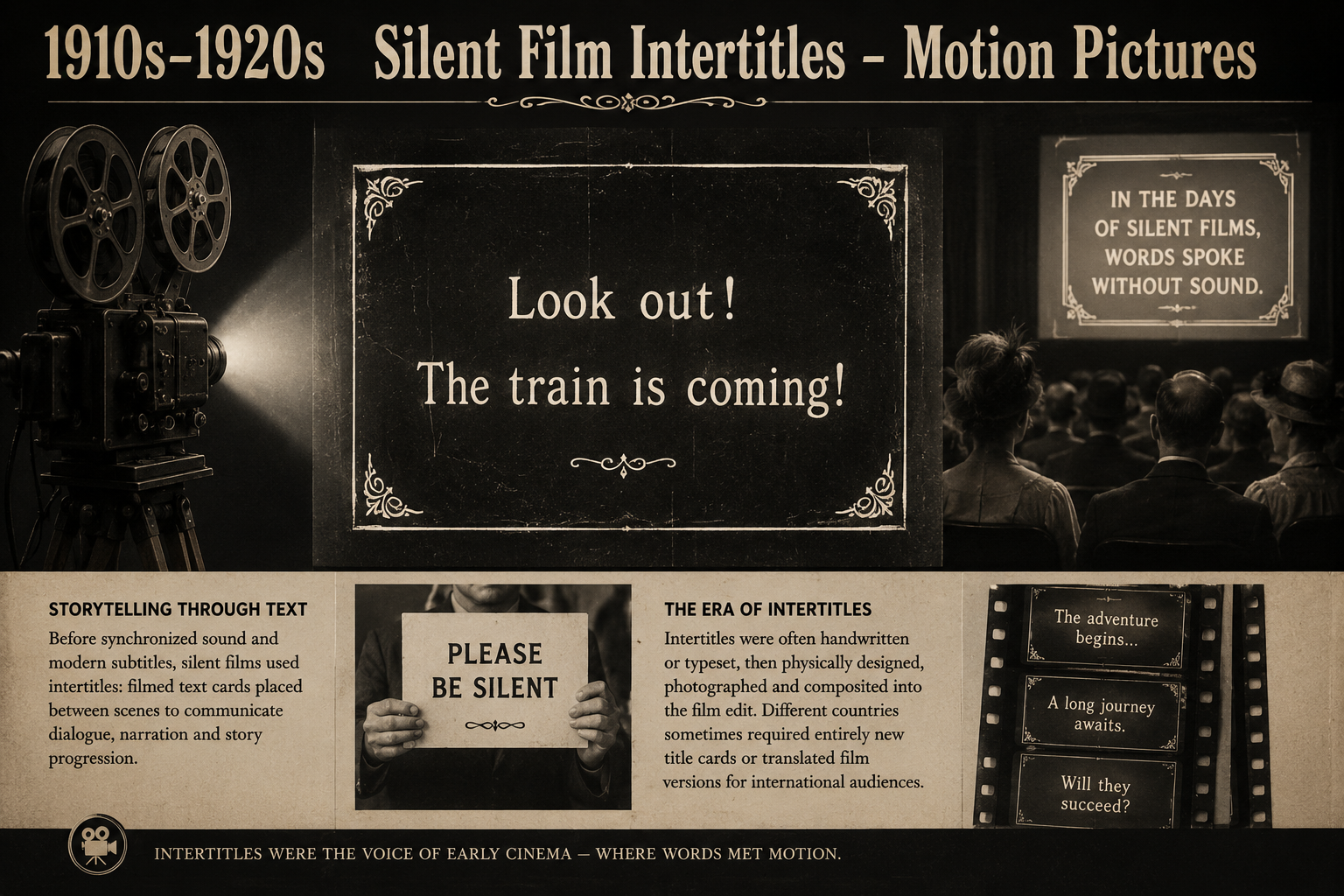
Silent films used intertitles and title cards to communicate dialogue, narration and story progression before synchronized sound.
1920s–1950s

Optical Film Subtitles

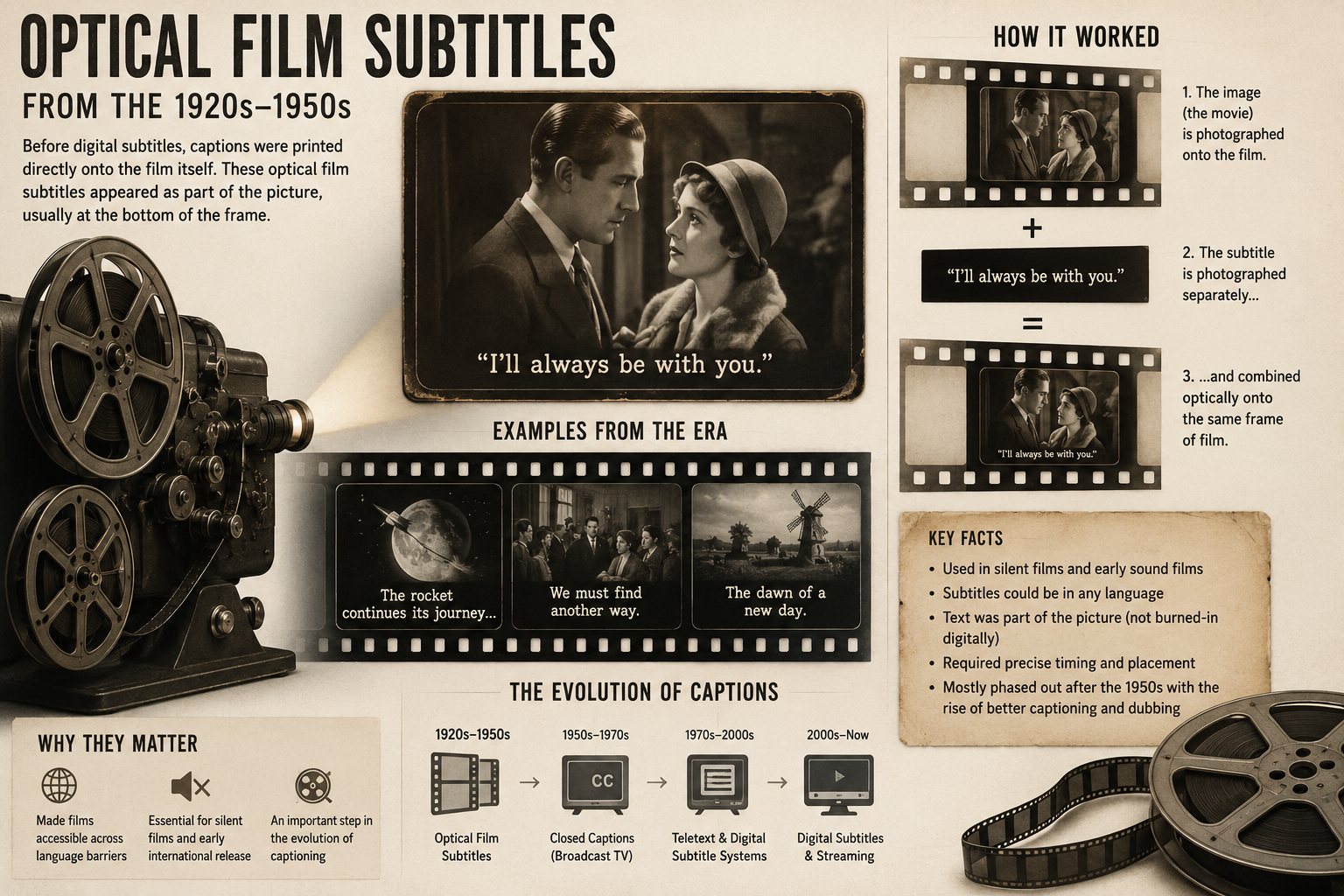
Early subtitles were physically embedded into film prints using optical techniques. Each translated version often required dedicated processing and manual preparation.

Optical FilmBurned-in TextCinema
Read more

Film subtitles were usually created as part of the physical film production process. The text was prepared, aligned and optically added to the image, so translated releases often needed their own dedicated film prints.

This made subtitles permanent and visual: once burned into the picture, they were no longer a separate layer. In that sense, early subtitles were closer to image compositing than editable text files.

Optical subtitles were burned directly into the film image.
1960s

Television Graphics & Overlay Era

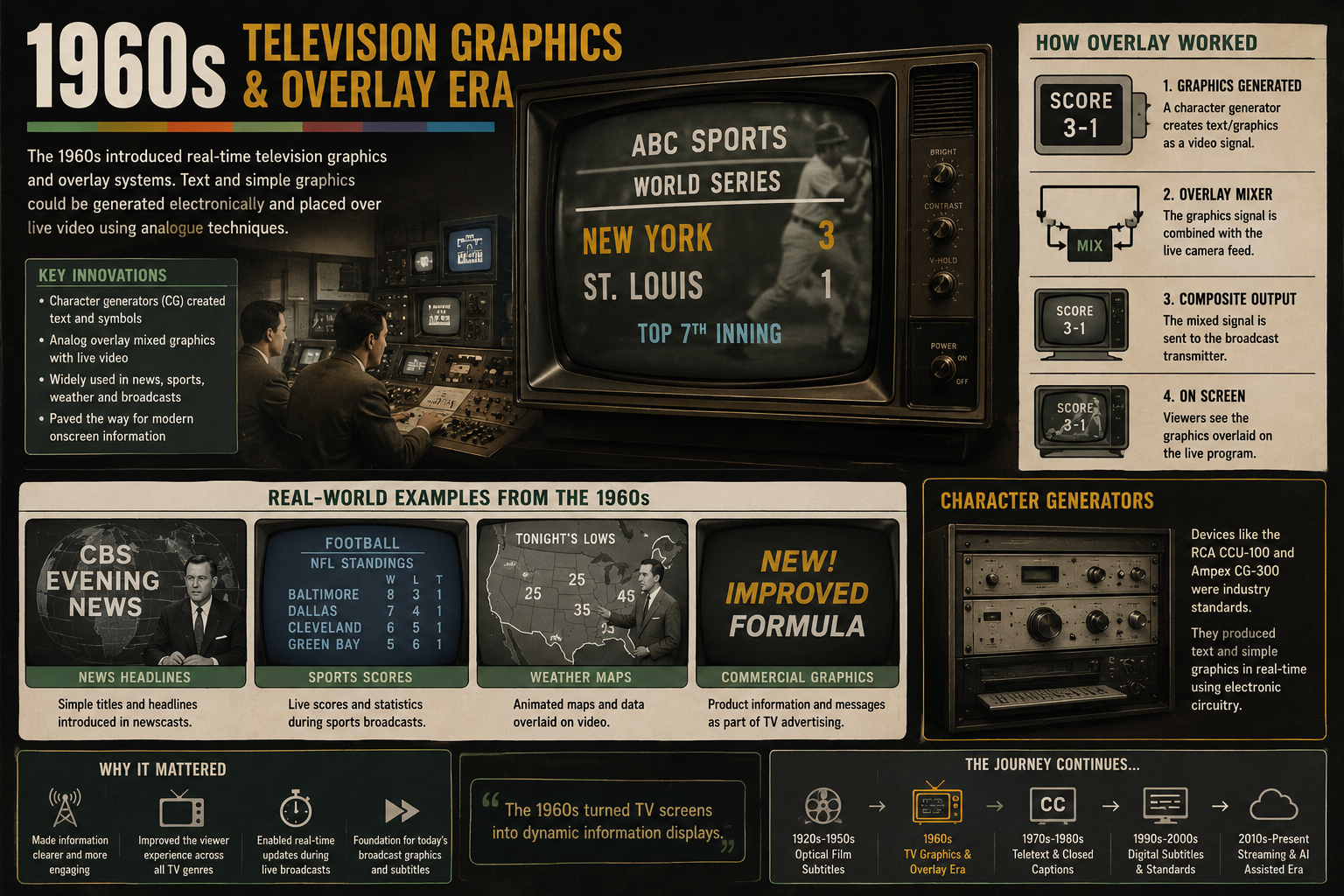
Television introduced a new kind of visual text. Titles, overlays and effects were often generated live using dedicated broadcast equipment and analog compositing systems.

TV GraphicsAnalog OverlayBroadcast
Read more

Before digital subtitle files, television text was often part of the video signal itself. Titles, credits, captions, comic-style effects and lower-third graphics were created with cameras, cards, slides, optical tricks or dedicated broadcast hardware.

The 1960s helped establish screen text as a visual language for television: readable, bold and timed to the rhythm of moving images.

1960s television overlays and broadcast graphics were often created using analog compositing and dedicated studio equipment.
1970s

Broadcast Text Systems

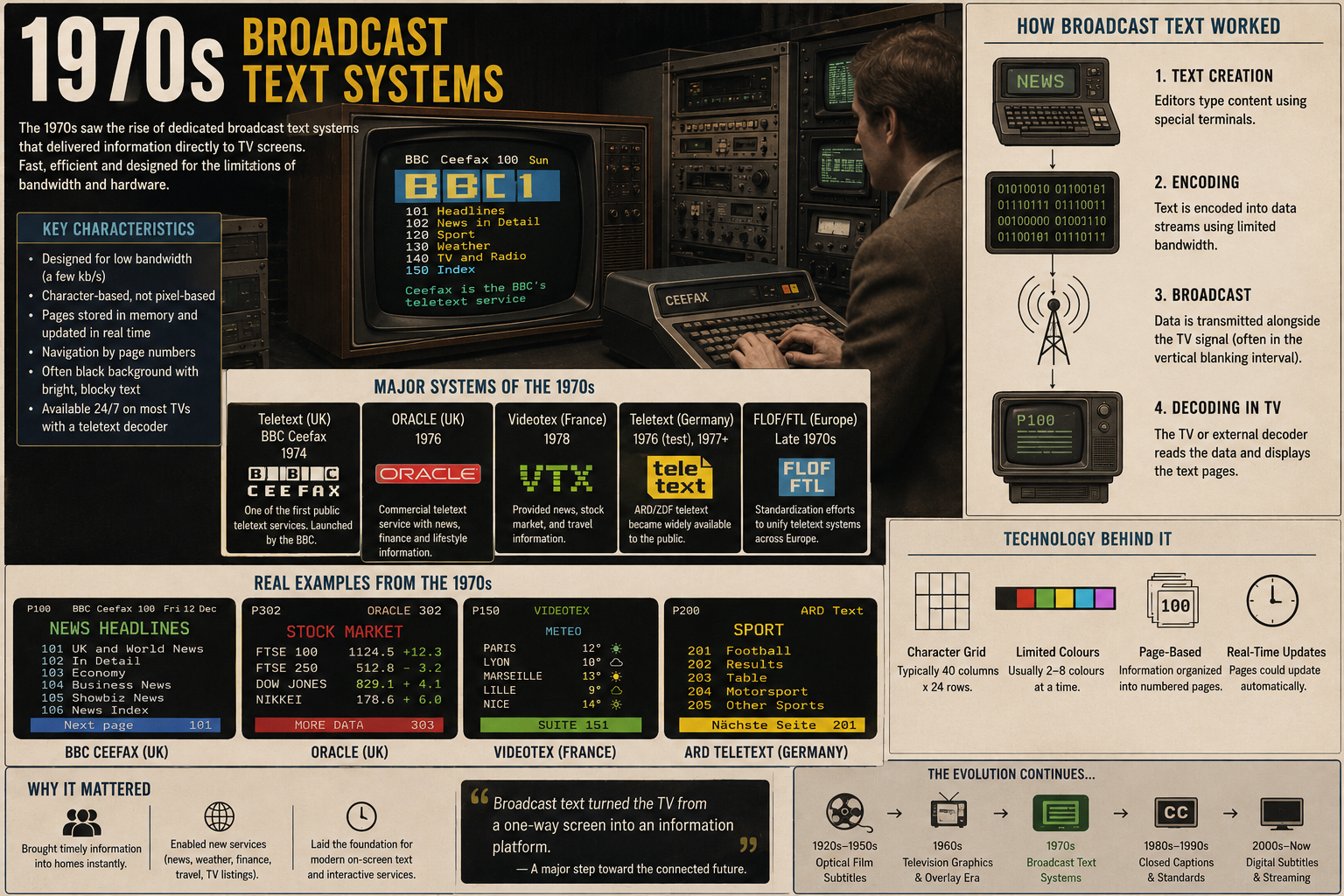
As television expanded globally, broadcasters began experimenting with reusable electronic text systems, paving the way for standardized subtitles and captions.

Character GeneratorsBroadcast HardwareElectronic Titling
Read more

In the 1970s, broadcast text became more electronic. Character generators and titling systems made it easier to place reusable text over live or recorded video, especially for news, sports, credits and programme information.

This period helped move captions away from one-off visual effects and toward repeatable systems with timing, operators, equipment and production workflows.

Broadcast text systems in the 1970s introduced reusable electronic titling and early caption workflows for television.
1970s-1980s

Teletext & Closed Captions

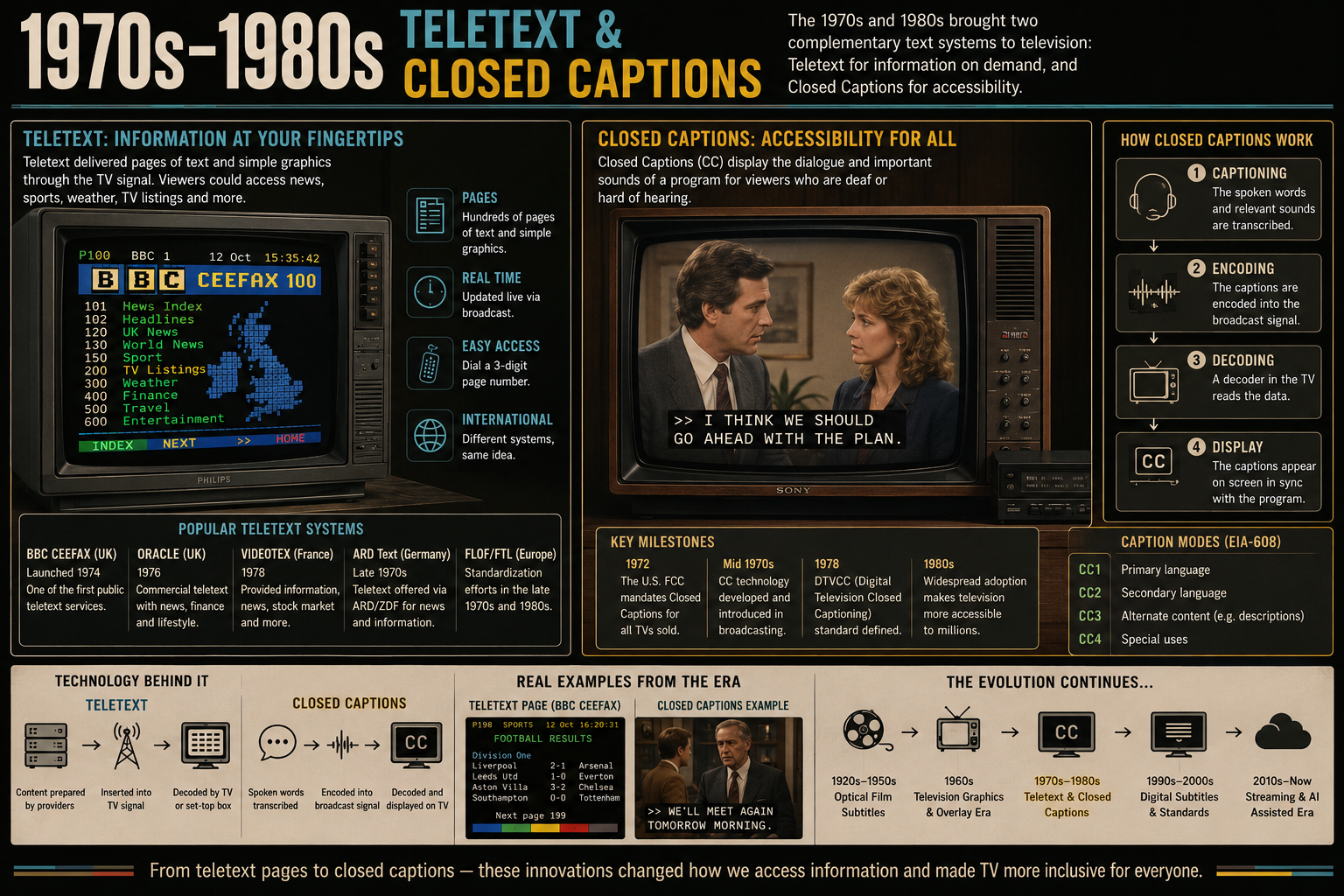
Teletext introduced digital information into traditional analog television signals. Subtitle pages and closed captions allowed viewers to access text independently from the video image itself.

TeletextClosed CaptionsHybrid Analog/Digital
Read more

Teletext was one of the important bridge technologies between analog television and digital information. Text pages could be transmitted inside the broadcast signal and decoded by the viewer's TV.

This made subtitles feel less like a fixed part of the image and more like selectable data. Closed captions followed a similar idea: text could travel with the video, but remain separate until the viewer chose to display it.

Teletext and closed captions helped bridge the transition between analog television and digital subtitle systems.
1990s

SAMI and early PC video

In the Windows Media Player era, subtitle support often lived in separate companion files. SAMI was one of the formats used to bring timed text to desktop video playback.

.smiWindows MediaPC video
Read more

SAMI used HTML-like markup and was connected to the Windows Media Player era. It belongs to a time where desktop playback, codecs and companion subtitle files were part of normal video workflows.

<SYNC Start=1200>
    <P Class=ENCC>Example subtitle text
2000s

SRT becomes the simple standard

SRT won because it was readable, portable and easy to edit. A number, a timestamp, and a line of text — simple enough to survive almost every video workflow.

.srtSimplePortable
Read more

SRT became the dominant subtitle format because it solved a practical problem better than almost anything else: it was simple.

During the AVI, DivX and XviD era, subtitle files were often distributed next to the video itself as separate files. SRT worked across operating systems, media players and editing tools without requiring advanced styling support.

Unlike more complex subtitle systems, SRT focused on timing and readability. That simplicity helped it survive through desktop playback, DVDs, streaming workflows and modern creator tools.

1
00:00:01,000 --> 00:00:04,000
Hello and welcome.

2
00:00:05,200 --> 00:00:07,500
This is an SRT subtitle example.

As online video platforms grew, SRT remained popular because subtitle tracks could easily be uploaded, edited and downloaded separately from the video itself. This helped make captions easier to translate, correct and reuse across platforms.

Even today, SRT remains one of the most widely supported subtitle formats in the world.

Fansub era

SSA / ASS and styled subtitles

Fansub communities pushed subtitles beyond plain text with positioning, styling, karaoke effects and careful typesetting. ASS subtitles still matter when visual control is important.

.assStyledVisual
Read more

SSA and later ASS subtitles changed what subtitles could be. Instead of simple lines of text, subtitles became part of the visual presentation itself.

Fansub communities experimented with positioning, colors, outlines, motion, karaoke timing and carefully crafted typesetting. Subtitles were no longer only translations — they became motion graphics layered on top of video.

During the anime fansub era, ASS subtitles became deeply connected to internet video culture and advanced desktop playback setups using tools like VSFilter, MPC-HC and later libass-compatible players.

Dialogue: 0,0:00:01.00,0:00:04.00,Default,,0,0,0,,
{\pos(640,680)\fad(200,200)}Welcome to styled subtitles.

Unlike SRT, ASS subtitles could precisely control placement, styling and effects, making them popular for openings, signs, karaoke lyrics and complex translations.

Streaming

WebVTT and platform captions

Modern web and streaming platforms moved captions into browser-native, accessibility-friendly formats like WebVTT.

.vttWebStreaming
Read more

As video moved from desktop players to browsers and streaming platforms, subtitle technology evolved alongside the modern web.

WebVTT was designed to work naturally with HTML5 video and browser-based playback. Compared to older subtitle formats, it focused heavily on web compatibility, accessibility and streaming workflows.

Platforms like YouTube and modern streaming services helped normalize captions as part of everyday online video experiences — not only for translations, but also for accessibility, mobile viewing and silent playback.

WEBVTT

00:00:01.000 --> 00:00:04.000
Welcome to WebVTT captions.

Unlike heavily styled subtitle systems such as ASS, WebVTT prioritized simplicity and browser integration. It became an important part of modern streaming infrastructure and web video delivery.

Today

AI captions and local editing

Automatic speech recognition changed how captions are created, but human review, timing, correction and export still matter — especially for creators who want control over the final video.

.aiLocalEditing
Read more

AI-based speech recognition dramatically changed subtitle workflows. Tasks that previously required hours of manual typing could suddenly be generated automatically in minutes.

Modern speech-to-text systems can recognize dialogue, generate timestamps and even assist with translations across multiple languages. This made captions more accessible for creators, educators and online video platforms.

But automatic captions are rarely perfect. Timing, readability, line breaks, speaker context and visual presentation still benefit from human editing and review.

[00:01.20] Welcome to Flixlar
[00:03.80] AI-generated subtitle example

Today, many subtitle workflows combine AI-assisted generation with traditional editing tools. Flixlar is exploring future optional local AI-powered workflows, allowing creators to keep more control over editing, timing and export directly on their own machine.

How Flixlar uses SRT and ASS today

Flixlar works with the simple SRT format for importing, editing and exporting subtitle text — and uses ASS subtitle rendering when burning captions into video with styling, positioning and visual control.

In other words: SRT keeps the editing workflow readable and portable, while ASS helps turn those captions into styled video output.

While subtitle technology continues evolving, Flixlar aims to combine traditional subtitle workflows with future local AI-assisted tools — without losing the flexibility and control that desktop editing provides.

Download Flixlar